

Consider an e-commerce website wants to set orders that will be shipped to certain shipping countries for manual review or reject it in order to reduce fraud orders. In this use case, let’s say every transaction that has Malaysia set as shipping country needs to be rejected. FraudLabs Pro allows you to configure it using fraud detection rules.
Shipping Country Rule #
1. Login to the FraudLabs Pro Merchant Area.
2. Go to Rules > Order Transactions.
3. Click on Add Rule.
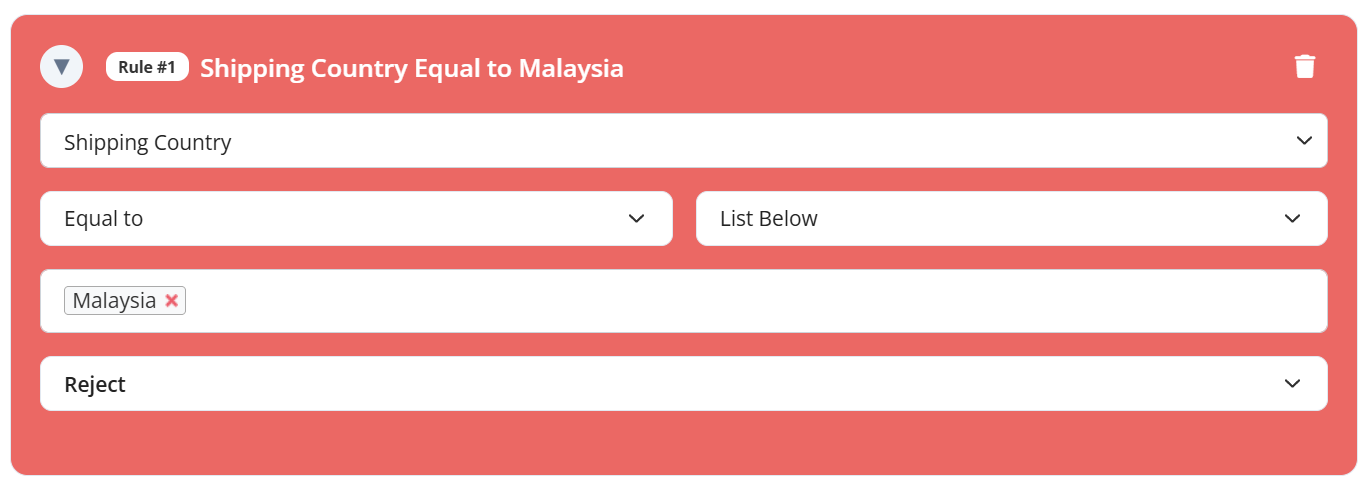
4. Add the rule ‘Shipping Country Equal to Malaysia’ as below:
5. Click on Save.
When there is an order that has set the shipping country as Malaysia, FraudLabs Pro will automatically filter and reject this order.
Billing Country Rule #
If you want to reject an order that has set Malaysia as billing country, you can do so by adding new rule.
1. Login to the FraudLabs Pro Merchant Area.
2. Go to Rules > Order Transactions.
3. Click on Add Rule.
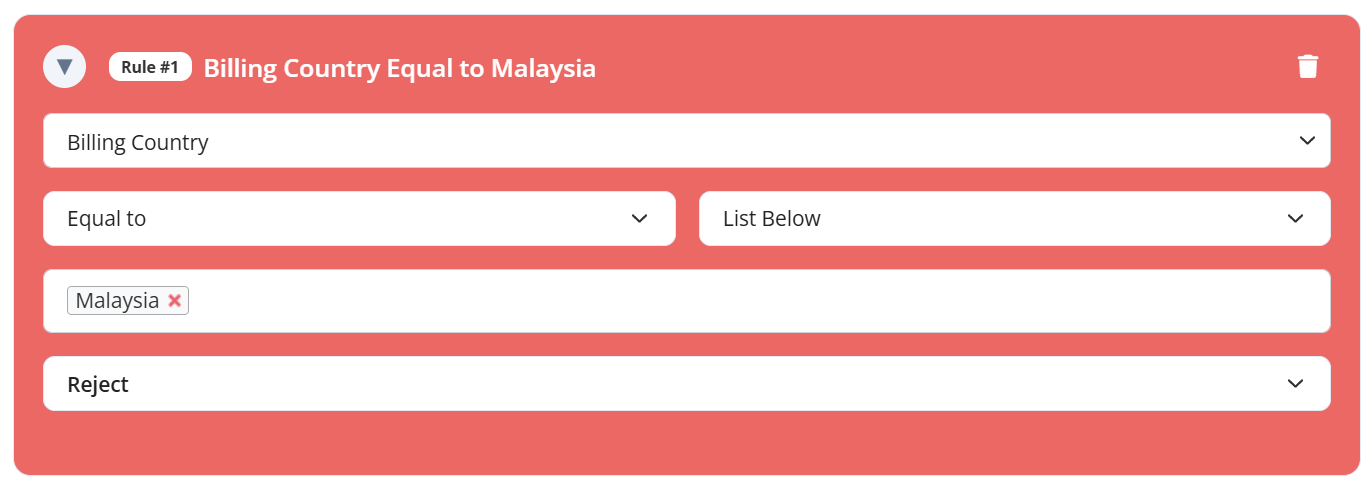
4. Add the rule ‘Billing Country Equal to Malaysia’ as below:
5. Click on Save.
When there is an order that has billing country set as Malaysia, FraudLabs Pro will automatically filter and reject this order.
Ready to start with FraudLabs Pro? #
Get Micro plan for free, you can quickly explore and integrate with our fraud prevention solution in minutes.