

FraudLabs Pro allows users to export fraud validation rules for backup, and import the previously exported rules for usage.
This feature is available for Small Plan upwards.
#
How to export rules? #
-
- Login to the FraudLabs Pro Merchant Control Panel.
- Click on the Rules menu.
- Click at the Export button at the right upper menu.
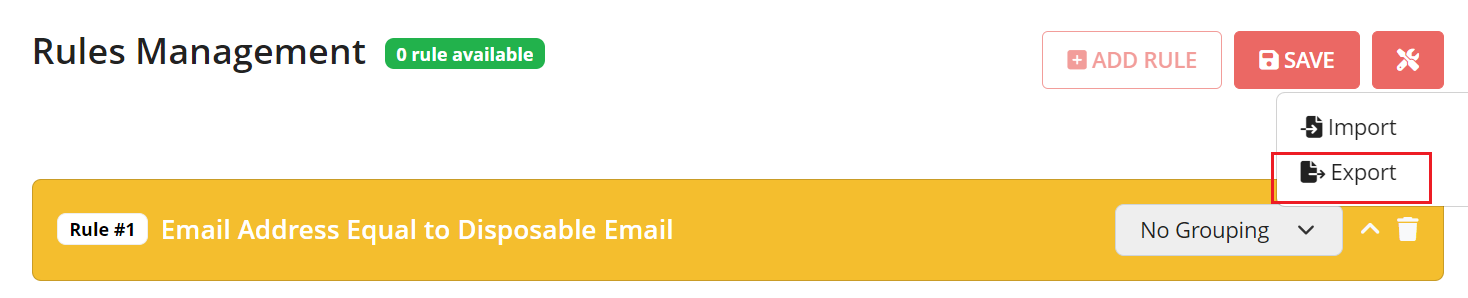
- You may choose to Save to file or to Open it using text editor.
- The rules has been exported and you are done.
#
How to import rules? #
- Login to the FraudLabs Pro Merchant Control Panel.
- Click on the Rules menu.
- Click at the Import button at the right upper menu.
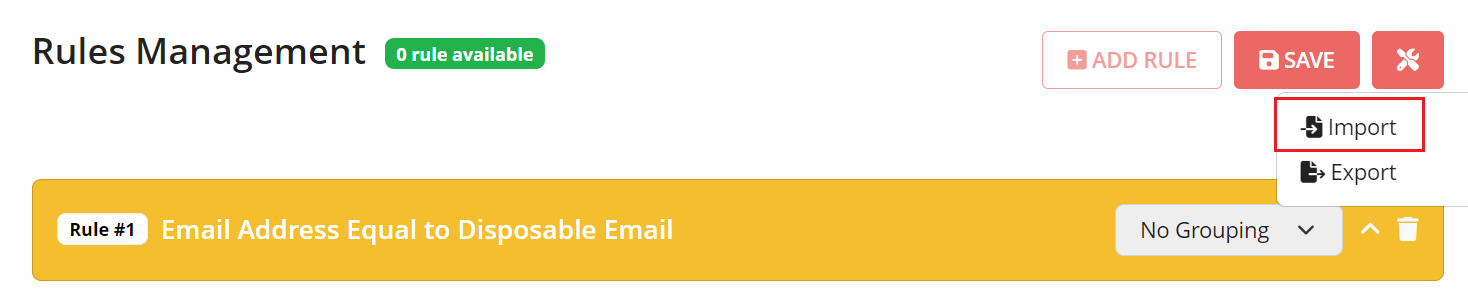
-
You may browse for the rules file that you want to import.
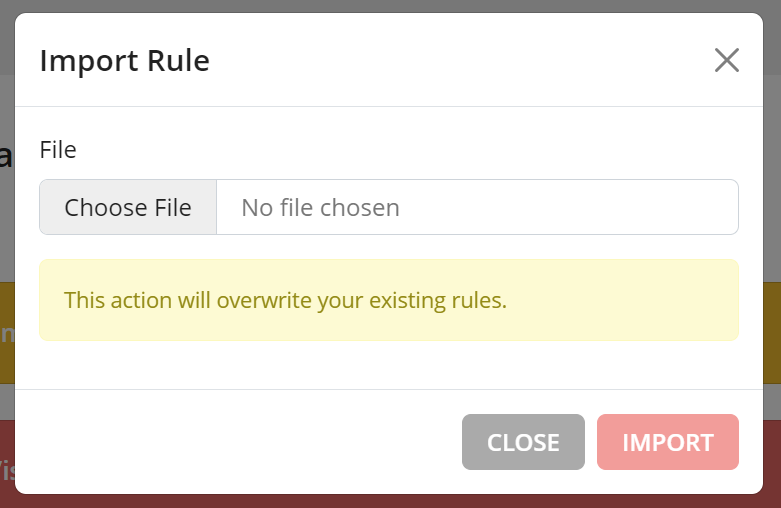
-
The rules has been imported and you are done.
Ready to start with FraudLabs Pro? #
Get Micro plan for free, you can quickly explore and integrate with our fraud prevention solution in minutes.