


FraudLabs Pro is excited to introduce a new items parameter for the Screen Order API, giving merchants greater visibility into the products contained in every order submitted for fraud analysis. With this enhancement, businesses can include detailed item-level information alongside their order data, enabling more granular validation and making it easier to create product-specific fraud prevention rules.
What Is the items Parameter #
The new items parameter is an optional field in the Screen Order API. It accepts a JSON array of objects, where each object represents an individual item in the order.
Each item supports the following fields:
| Field | Required | Description |
| sku | Yes | The product SKU (Stock Keeping Unit). |
| quantity | Yes | The quantity purchased. |
| price | Yes | The unit price of the item. |
| type | No | The item type like physical, virtual or downloadable. |
| name | No | The product name. |
| purchase_type | No | A custom field that merchants can use for their own reference or internal categorization. |
The purchase_type field is intentionally flexible. Merchants can populate it with any value that suits their business workflows, such as subscription, upgrade, one-time purchase, renewal, recharge, etc.
Example Request #
Below is an example showing how the items parameter can be included in a Screen Order API request:
"items": [
  {
    "sku": "SKU-1001",
    "quantity": 1,
    "price": 99.99,
    "type": "physical",
    "name": "Wireless Headphones",
    "purchase_type": "one-time purchase"
  },
  {
    "sku": "SKU-2005",
    "quantity": 2,
    "price": 19.95,
    "type": "downloadable",
    "name": "Country List"
  }
]Each item is processed independently, allowing FraudLabs Pro to evaluate product information more effectively while preserving compatibility with existing API integrations.
How to View Item Details in the Transaction Details Page #
After an order containing item-level data has been screened, you can view the submitted items from the transaction details page:
- Log in to the FraudLabs Pro Merchant Area.
- Go to Transactions > Order Transactions.
- Select the transaction you want to review.
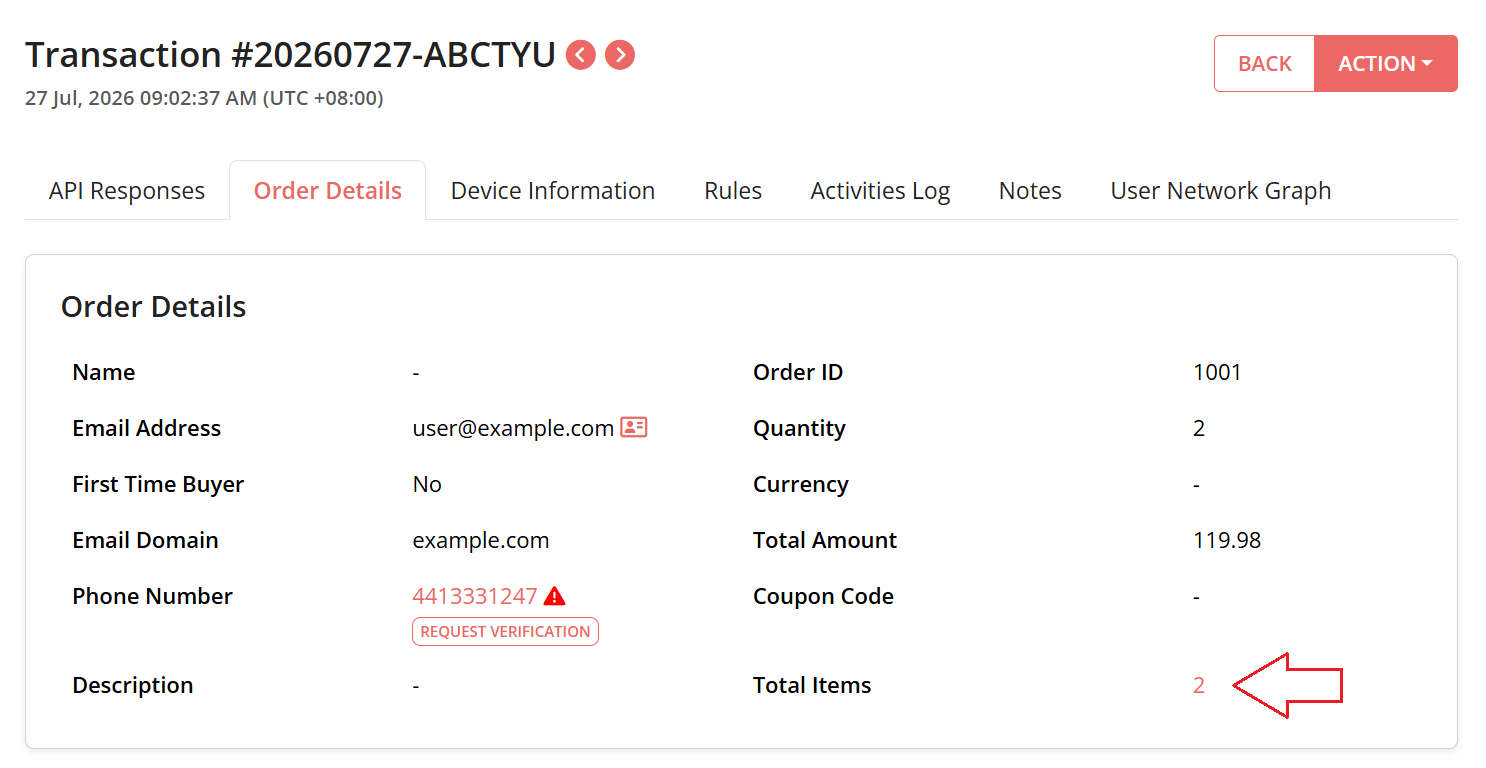
- In the Transaction Details page, open the Order Details tab.
- Under Total Items, click the item-count link.
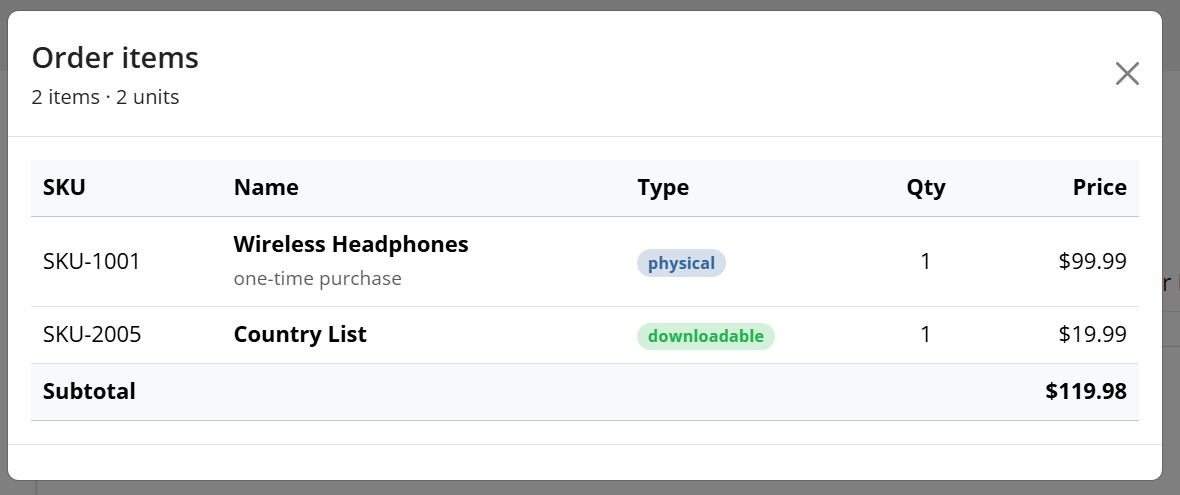
- Then, a pop up box will shown the item details submitted with the transaction, including the SKU, product name, item type, quantity and price.
Plan Limits #
To ensure fair resource usage while providing flexibility for businesses of all sizes, the items parameter is available across all FraudLabs Pro plans with the following limits:
- Free Micro Plan: Supports up to 3 items per order.
- Paid Plans: No limit on the number of items that can be submitted in an order.
This allows merchants with larger shopping carts or wholesale transactions to submit complete item information without restrictions.
Works Seamlessly with Existing Validation Rules #
The introduction of the items parameter also enhances two validation rules:
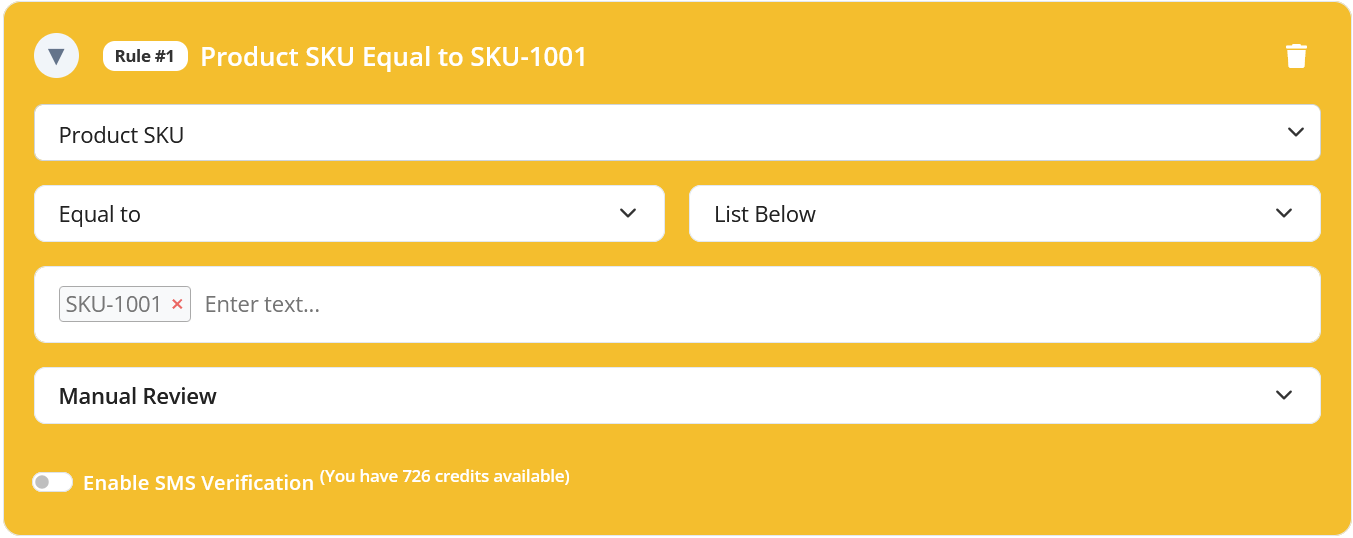
SKU Validation Rule #
The SKU Validation rule can now evaluate the sku value of every item submitted through the items parameter.
Item Type Validation Rule #
Similarly, the Item Type Validation rule matches against the optional type field.
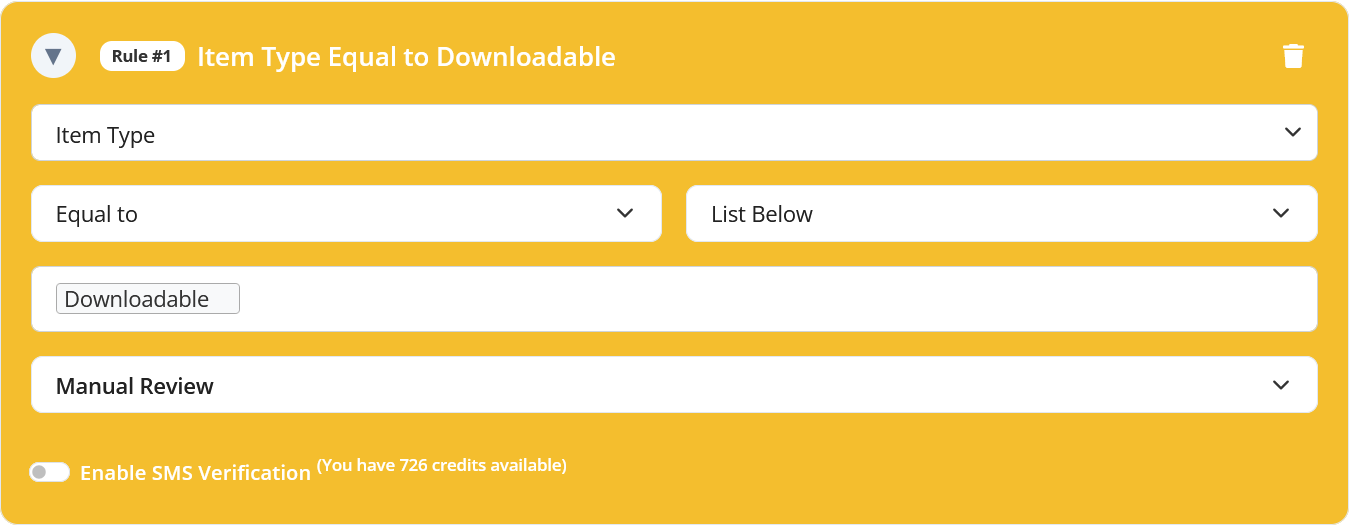
You can configure both validation rules on the Rule page.
More Detailed Orders, Better Fraud Decisions #
The new items parameter gives merchants a simple way to include detailed product information in every Screen Order API request. By submitting item-level data, businesses can take advantage of SKU and Item Type validation rules to create more targeted fraud detection strategies without affecting existing integrations.
Whether you’re using the Free Micro plan or a paid plan, adding the optional items parameter helps to provide richer order context for fraud analysis. Start including item details in your API requests today to build smarter validation rules and strengthen your protection against online fraud.
Secure Transactions, Seamless Business #
Say goodbye to fraud worries! Secure your online store with FraudLabs Pro now.