

E-commerce has become one of the most essential elements in global retail today. It enables customers worldwide to conveniently purchase goods and services from different countries. However, as the e-commerce industry continues to grow, so does the threat of customer accounts being compromised by unauthorized parties. As a result, businesses may suffer not only reputational damage but also significant financial losses.
To address this rising threat, FraudLabs Pro is introducing a new feature: User Behavior Detection. This feature analyzes how your customers interact with your site during checkout and learns their typical behavioral patterns. By comparing a customer’s current behavior with their historical activity, the system can effectively detect and stop suspicious behavior before it becomes a serious threat.
Key Advantages of User Behavior Detection
Self-Learning User Activity Patterns
There is no need for you to manually identify user patterns. The system automatically learns from past behavior. It analyzes 90 days of historical user activity and establishes it as a benchmark to evaluate whether any irregular or suspicious actions have occurred.
Protection Beyond Credentials
This feature prevents unauthorized access attempts—even if attackers possess valid usernames and passwords. It achieves this enhanced level of security by continuously monitoring and analyzing how users behave, rather than relying solely on the data they provide.
How to enable User Behavior Detection
If you are interested on trying this new feature, here are the detailed steps on how to enable the feature:
(Note: Please note that this feature is only available for merchants that are subscribed to the Large plan, or higher plan. Please visit the pricing page for the upgrade. Please install and enable Agent JavaScript v2 before continuing. You may refer to this tutorial for detailed instructions.)
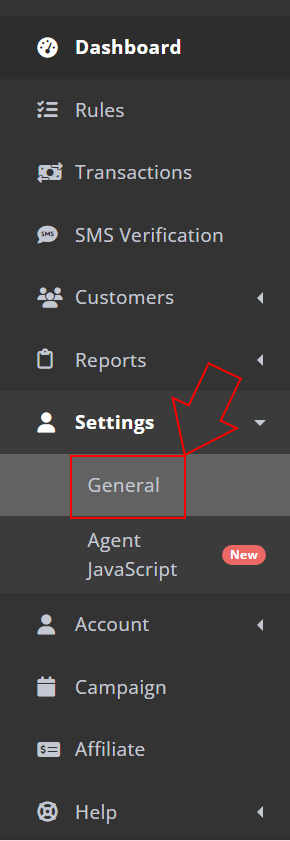
- Login to your FraudLabs Pro merchant dashboard, and go to your account setting as shown in the screenshot below:
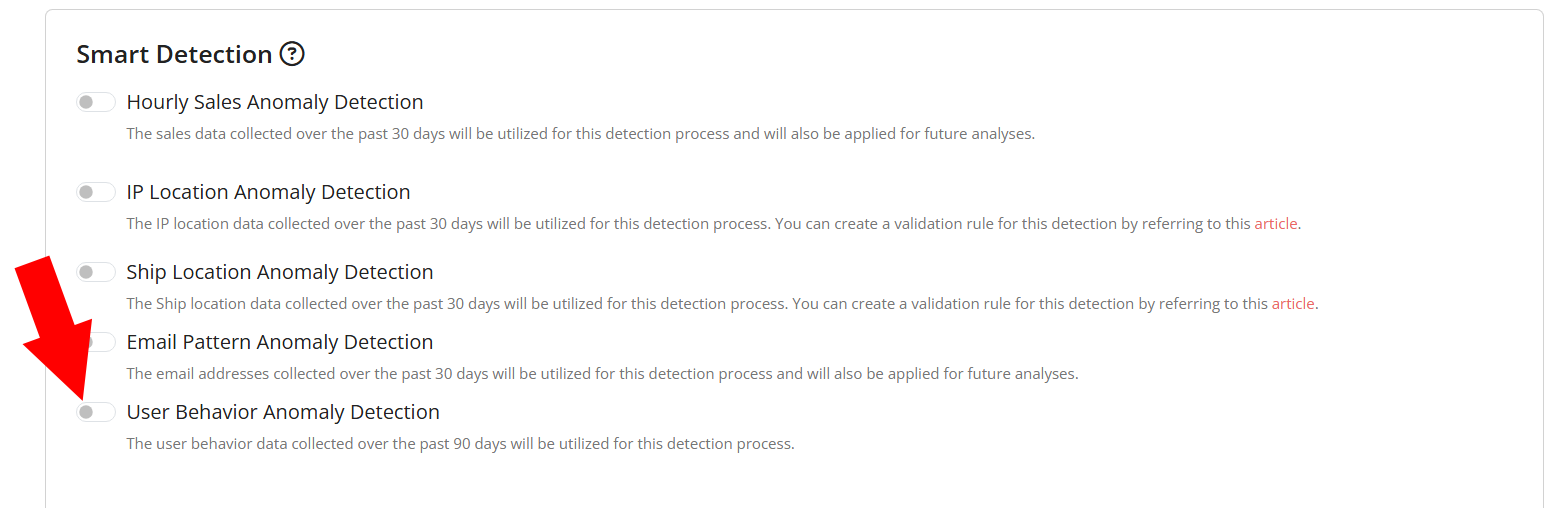
- In the setting page, scroll to the bottom until you see the “Smart Detection” section.
- In the Smart Detection section, you can see there is one button for user behavior detection. This button is to set the detection on or off. By default, this feature is set to off, and you will need to click to enable the feature.
- Then, you will need to set the notification type. Here, you can see the two notification methods supported, which are email and Slack. Please take note that for the Slack notification, you will need to enable the Slack notification at the above section.

- Click on the “SAVE CHANGES” button, and you are now ready to use this feature. It will run in the background and send you the notification when there is any anomalous user activity detected in their recent transactions.
How to View User Behavior Report
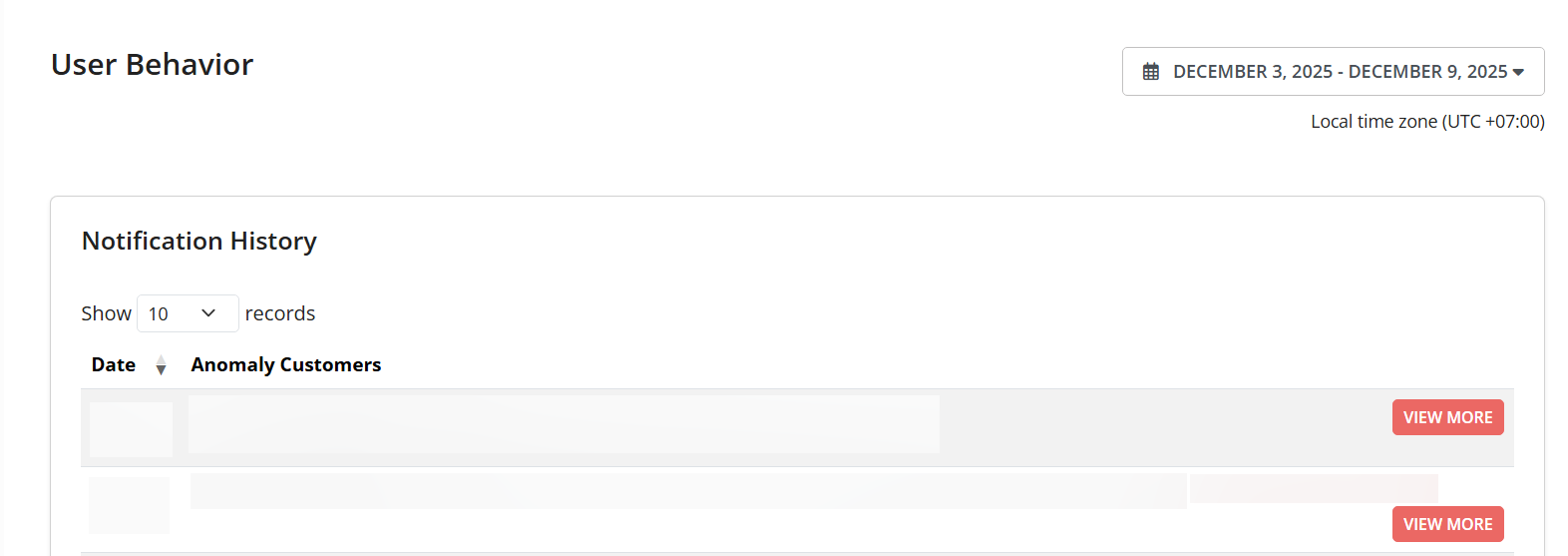
To access the report, simply log in to your FraudLabs Pro merchant area. Next, go to Report > User Behavior. Then, you will see the user behavior report as below:
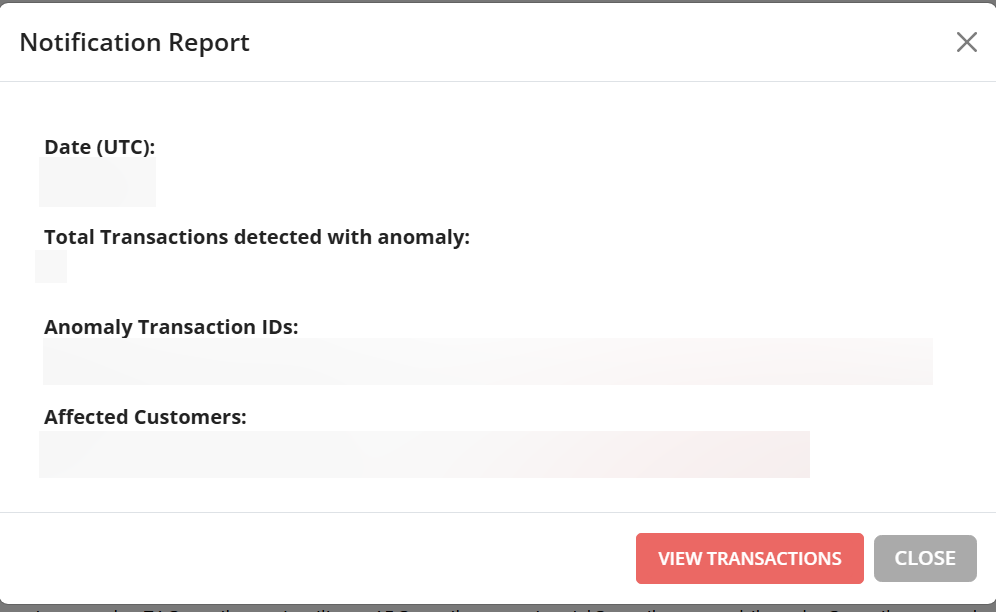
You can check the detail of each notification by click on the View More button, and you will see the detail as below:
(Note: Please note that this report is only available for merchants that are subscribed to the Large plan, or higher plan. Please visit the pricing page for the upgrade).
Conclusion
User Behavior Detection adds a powerful new layer of protection to the FraudLabs Pro ecosystem. By understanding how customers typically interact with your site, it becomes possible to identify irregular activities before they lead to account takeovers or financial losses. With this feature, businesses can strengthen their security posture and offer customers a safer, more trustworthy shopping experience.
Secure Transactions, Seamless Business
Say goodbye to fraud worries! Secure your online store with FraudLabs Pro now.