

Introduction
When users sign up, create accounts, or place orders online, the email address they provide often becomes the primary way businesses identify and communicate with them. But not all email addresses carry the same level of trust. Some come from corporate domains, while others are created instantly using free email services making them easier to misuse.
Free email validation is a method that helps businesses determine whether an email address comes from a free email provider like Gmail, Yahoo, Outlook and so on. This information provides valuable context for fraud prevention, user profiling, and risk assessment.
Why Free Email Providers Matter in Risk Analysis
Free email services like Gmail, Yahoo, and Outlook are widely used by legitimate customers but they’re also a favourite tool for fraudsters. Fraudsters often use free emails to automate fake registrations, abuse promotions, or test stolen credentials.
Here’s why:
- Quick and easy to create – Anyone can set up an account in seconds.
- Large-volume creation – Fraudsters can generate many addresses at once.
- Disposable if flagged – They can be abandoned and replaced with a new address.
- Harder to trace – Unlike corporate emails, they offer limited traceability.
However, this doesn’t mean businesses should block all free emails—doing so would turn away many real customers. Instead, free emails should be treated as one of several risk indicators in fraud prevention. Read more on how to handle fraud risk for free email.
How Free Email Validation Helps in Fraud Prevention
By implementing free email validation, businesses can identify these higher-risk accounts without blocking legitimate customers.
Here’s how to perform free email validation:
1. Use the Free Email Validation Demo
Businesses can quickly check if an email belongs to a free provider using a free email validation demo tool. This allows you to see in real time which email addresses may pose a higher fraud risk.
2. Apply Free Email Validation Rule
To automate fraud protection, businesses can create a free email validation rule using a free fraud prevention solution like FraudLabs Pro. If you don’t have an account, you can sign up for a free one.
Follow these steps to add the rule:
- Go to FraudLabs Pro Rules Management page.
- Click on Add Rule.
- Select Email Address Equal to Free Email for Rule field.
- Choose Manual Review for Action.
- Lastly, save the rule.
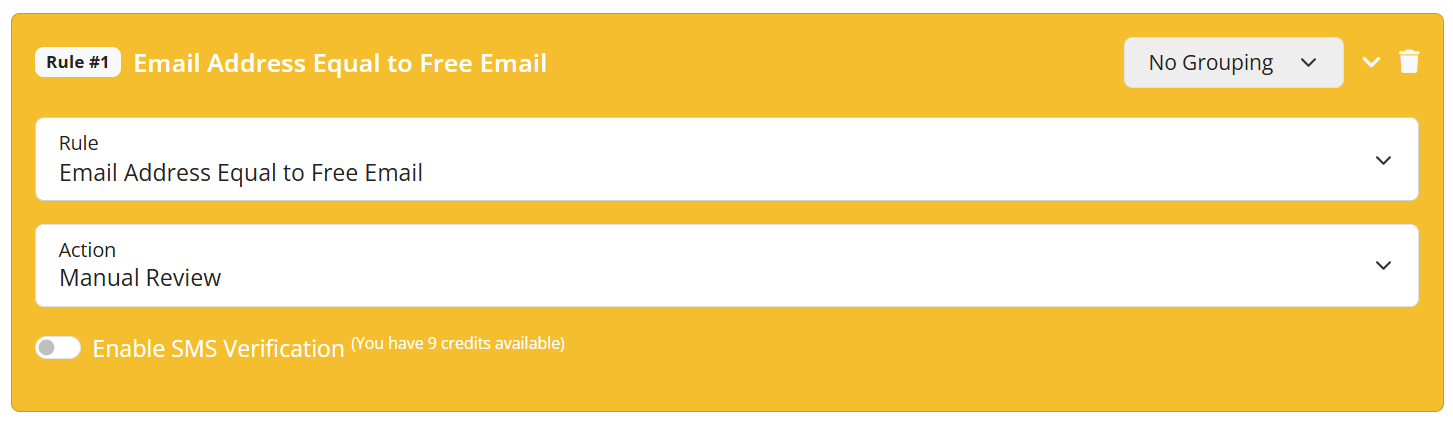
This rule will flag the order for manual review if the customer’s email address is equal to free email.
Final Thoughts
Free email validation is more than just a basic check—it’s a simple yet powerful tool that can significantly enhance your fraud detection and risk assessment efforts. By identifying email addresses from free providers, businesses can spot potentially higher-risk accounts before they result in fraudulent transactions or abuse of promotions.
Free Fraud Protection Today!
Start safeguarding your business with FraudLabs Pro Fraud Prevention at Zero Cost!